EnerTechnician
What's New in EnerTechnician
The job keeps getting harder.
Your tools just caught up.
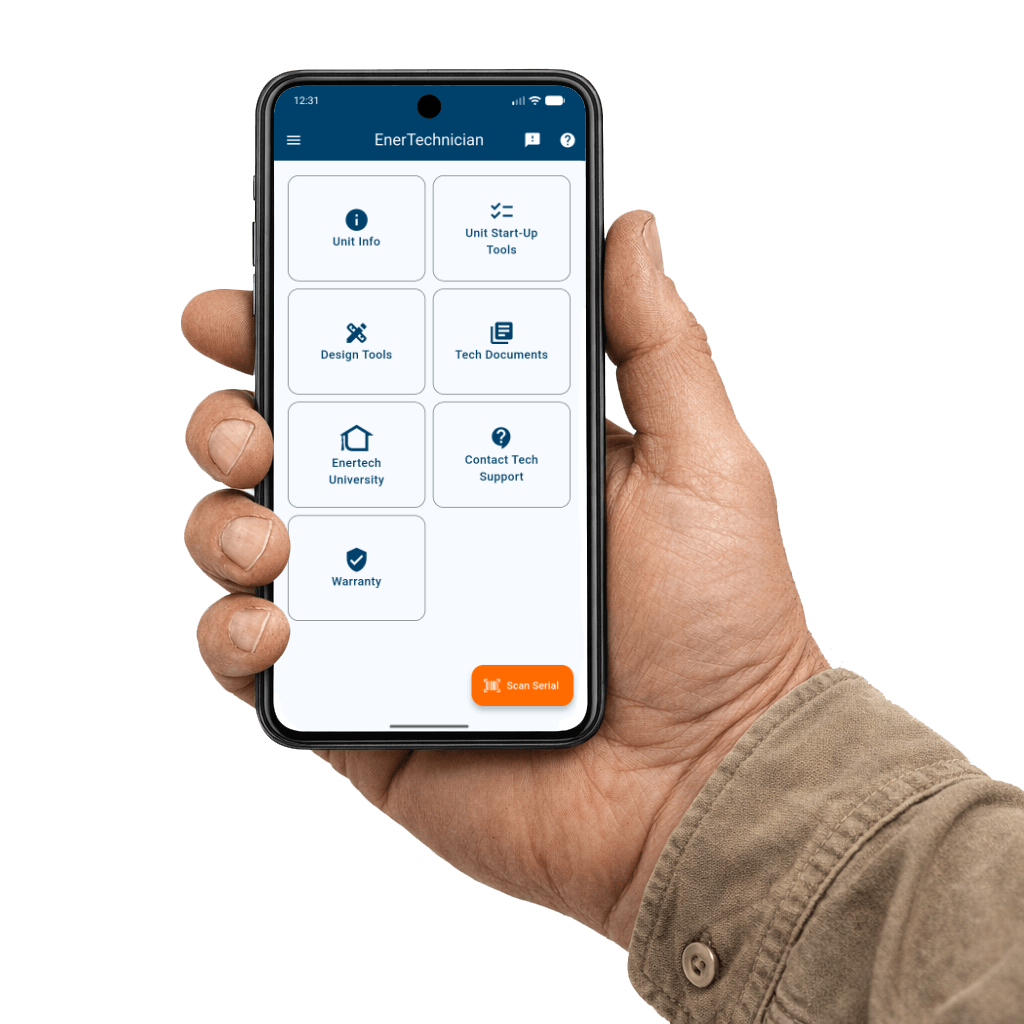
New refrigerant regulations. Tighter job timelines. Customers who expect documentation before you leave the driveway. EnerTechnician gives your technicians, office team, and service operation what they need — on every job, right from their phone.


Sound familiar?
If your team runs into any of these, keep reading.
On the Service Call
The technician arrives at the jobsite - the unit is down, warranty status unknown, and the manual is nowhere to be found.
After the Install
The warranty registration didn't happen at the job site. It ended up on a sticky note — and then it quietly didn't happen at all.
With A2L refrigerants
A new R-454B unit goes in and no one is sure whether the mechanical room qualifies — or how to prove it if a code question comes up later.
The plan
Getting your team equipped takes three steps.
Download the app
Free on iOS and Android. Your technicians are set up in minutes — no training required. The interface is built around how field work actually flows.
Sign in with EnertechOne
Dealers and distributors connect their account to unlock warranty claims submission, and a direct feedback channel to Enertech engineering.
For Enertech dealers & distributorsWalk into every job prepared
Unit data, manuals, startup performance tools, compliance calculators — all on one screen, all offline-capable.
Tools & Calculators
From startup performance verification to A2L compliance and antifreeze dosing — every calculation your team needs in the field, without calling in. Enter the numbers, get the answer, leave the job with documentation.
Water-to-Air Startup Performance Check
Step-by-step guided startup for W2A systems — enter measurements, get EAT correction factors applied automatically, verify against factory data, capture photos, and walk away with a signed PDF startup report.
Water-to-Water Startup Performance Check
Same guided flow as W2A, extended for source and load heat exchanger circuits. Documents both sides of the system in a single PDF startup report.
A2L Refrigerant Safety Calculator
Before the unit goes in, know if the room qualifies. Enter dimensions and unit specs — the calculator tells you whether the space meets R-454B minimum area requirements or calculates the mitigation release height needed. Generates a PDF for the installation record so compliance is documented automatically.
Fernox Antifreeze Calculators
No more estimating loop dosing at the job site. The System Volume Calculator gives exact Fernox product quantities for a known loop volume; the System Tonnage Calculator works backward from system tonnage when the volume isn't yet measured.
Information Lookup
Unit data, manuals, parts, and training — everything your team needs about any Enertech unit, on the job site, even without a signal. Scan the serial number and the right information is already there.
Unit Info & Serial Lookup
Scan a serial number or type it in — instantly get registration status, warranty contracts, model nomenclature breakdown, and every linked document for that exact unit.
Tech Document Library
Every Enertech installation manual, service manual, and tech bulletin — searchable and cached for offline use. Technicians pull up the exact page they need even when the job site has no signal.
Enertech University Video Library
Enertech's full troubleshooting and training video library, playable inside the app. New content published by Enertech appears automatically — no app update required.
Service Parts Lookup
Every part a technician might need to identify on a service call — organized by category with photos, right on the unit record. No more calls to the office for a part number when there's a customer in the room waiting for an answer.
Unit Knowledge Articles
Model-specific tips, known issues, and application notes from Enertech's knowledge base now appear alongside the manual in Unit Info. The right context for the exact unit they're working on — without logging into a separate portal.
Contact Us & Feedback
A direct line to Enertech — for warranty submissions, quality feedback, and live tech support when it matters most. These features require an EnertechOne account for Enertech dealers and distributors.
EnertechOne Login
Enertech Direct Sale Dealers and Distributors sign in with their EnertechOne credentials to unlock dealer-exclusive features. One secure login, remembered between sessions — sign in once and stay connected.
Live Video Chat with Tech Support
When a technician is stuck, a phone description only goes so far. Connect face-to-face with an Enertech technical services rep directly from the app — camera on the unit, no third-party app, no hold music.
Warranty Registration
Registration happens the moment the install is done — before the technician leaves the driveway. Scan the serial number, confirm the model, enter the owner and address, and submit. No portal, no laptop, no chance for it to fall through the cracks.
EnertechOneWarranty Claims
Select the failure code, attach photos, add notes, and submit — directly from the job site. Prior claims for any unit are visible in Unit Info, so your team knows the full service history before they turn a single wrench.
EnertechOneUnit Quality & Installation Feedback
Field technicians are closest to quality issues. Now they have a direct line to Enertech's Manager of Quality Assurance — photos, description, and unit data — without routing it through anyone's inbox first.
EnertechOneThe result
Picture your team six months from now.
Technicians who show up to every job with the right data. Registrations submitted before they leave the driveway. A2L compliance documented before anyone asks. No missed claims, no calls to the office for a part number, and a direct line to Enertech tech support when something unusual comes up.